AI App Reviews: 5 Popular Apps Put To The Test


Quick Summary
No single AI app wins every job, since ChatGPT is a broad all-rounder for voice and photos, Gemini fits people whose lives run on Google, Claude suits writing and document work, Perplexity stands out for answers that cite sources, and Otter is the pick for meetings and lectures. All five are free to download with paid upgrades, so what decides your pick is the task you do most often. Start free, compare on your own tasks, and read the privacy label before sharing anything sensitive.
Plenty of apps sit on a phone, and only a handful ever get touched. AI apps make that worse, because the App Store is stuffed with them, and every one promises to save you hours. These AI app reviews are meant to help you pick the one or two worth keeping.
We asked five popular apps five identical questions. Everything here comes from the App Store listings and each company's official pages. There are no lab benchmarks and no stopwatch. Prices change a lot, so check them again before you pay. Hands-on stories belong to real users, and our community is there for that.
The Five Questions We Asked
Demos are easy. Daily use is harder. So every app faced the same checklist, starting with whether it shows where its answers come from. Next, what it costs once the free tier runs out. Then what it can do on a phone, like voice chat or photo input, what it says about the data it collects, and what thousands of ordinary users think of it.
ChatGPT: The All-Rounder
The odd part is pricing, so start there. Per its App Store listing, ChatGPT is free to download with in-app purchases, including a Go plan at $8, Plus at $19.99, and Pro tiers from $100 to $500. Yes, five hundred.
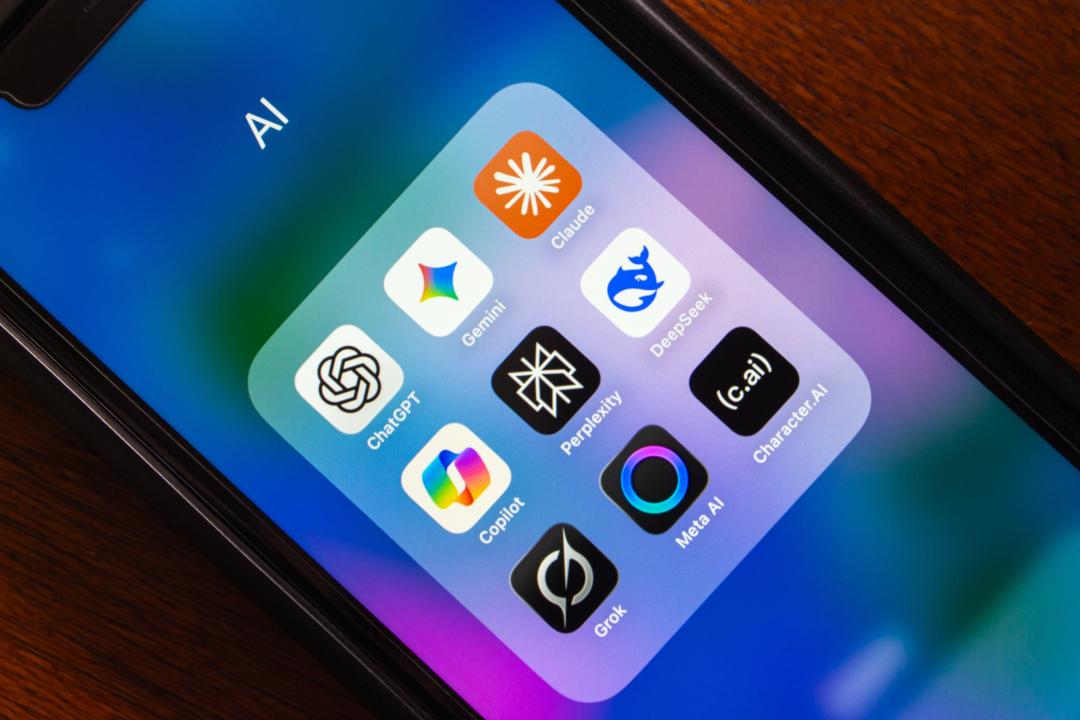
It does plenty on a phone: images from a description or from a photo you already have, Advanced Voice Mode for talking in real time, and photo uploads for jobs like transcribing text or naming a landmark. The rating is 4.8 out of 5, from roughly 11 million people.
One reviewer on the listing complained that it sometimes builds an interactive activity from a simple question. Funny, and probably annoying at 11 p.m. when you just want the answer. We'd still hand it to most first-timers, mainly for the voice and photos in one place.
Google Gemini: Best For Google Households
According to its App Store listing, Gemini is free with in-app purchases ranging from $1.99 to $199.99. How well it connects is the pitch. Gmail, Calendar, Photos and YouTube all link in, and you can brainstorm out loud with Gemini Live or share your screen.
It makes images, video and music too. Gemini holds a 4.7 rating from about 2.3 million people. The requirement is iOS 17.4 or later, so a phone that hasn't taken the newest update still runs it.
Already in Google's world with your email, calendar and photos? It fits like an old jacket. Setup is minimal, and so is the thinking.
Claude: Best For Writing And Documents
Claude is free with paid upgrades, and its App Store listing shows Pro at $20 a month. The listing calls it an "AI assistant for life and work." It leans mostly toward writing, coding help and analysis. Photos, PDFs and screenshots can go in, web search comes with citations, and Google Drive, Gmail and Calendar connect.
It holds a 4.7 from roughly 273,000 ratings. The 18+ age rating is worth a look when a phone gets passed around the family.
Long documents, careful drafting and a heap of messy notes that need sorting are the sweet spot. Have a rambling draft and need one clear message out of it? Try this one first.
Perplexity: Best For Answers With Sources
Perplexity answers questions and attaches its sources. The App Store listing says answers are "backed by sources and citations," plus Pro Search, voice interaction, and access to models from several AI companies. Pro is $20 a month, or $200 a year.
The rating is 4.8, across about 511,000. One recent reviewer flagged a design annoyance: the suggested questions take up screen space and cause accidental taps while scrolling.
On privacy, the listing says the app collects identifiers, usage data, diagnostics, and location linked to your account. Read that label before you sign up. If you like seeing the receipts behind an answer, it's a good pick.
Otter: Best For Meetings And Lectures
Otter turns speech into searchable text, and that's about all it does. Real-time transcription, automated meeting notes and summaries, speaker labels, and links to Zoom, Google Meet and Microsoft Teams are all listed on its App Store listing.
The free plan includes three hundred minutes of transcription a month. Pro starts at $16.99 monthly or $99.99 yearly. The rating is 4.8, from more than 83,000.
Students and busy professionals will get the most out of it. Recording? Tell people when, and check your local consent rules before you hit start.
The Quick Scorecard
Going by the listings, here's how the five landed. Perplexity is built around sources, and Claude lists web search with citations. Gemini has the lowest iOS requirement among the chat assistants, 17.4 or later. ChatGPT has voice, photos and image creation in one app. Otter states its free allowance most clearly: 300 minutes a month.
Nobody swept the board. That's exactly why matching the app to the task beats crowning a champion.
So Which App Should You Download?
Match the app to the job, not the highest rating. All-purpose help: ChatGPT. Google-heavy routines: Gemini. Writing: Claude. Research: Perplexity. Notes: Otter.
They're all free to download, so try two on something you do every week. Whichever saves you the most time earns the spot on your home screen, and the other one can go.
What Real People Say On Prugu
Ratings are a starting point, nothing more. In our Apps & Software category, a Seeker asking for the best AI chat pulled Answers from members comparing ChatGPT and other tools, with tips you won't find on any listing.
Want a recommendation made for you? Start a Seeker about what you need, or write a full Post on an app you've used. Our platform is where people share honest product reviews and real answers from real experience.
FAQs
What is the best AI chat app?
ChatGPT is the safest first download for most people, though no single app wins every job. Gemini is easy if Google services are already your thing. Pick one, ask it about a subject you know cold, and see if the answers hold up before you lean on it for anything big.
Are AI apps really free?
Yes for downloading, and the free tier is enough to find out whether an app suits you. Paid plans add higher limits, newer models and extra tools, and the in-app purchase list on each App Store page shows the prices before you commit. Upgrade only after the same limit has stopped you on a task you care about.
Which AI app is best for beginners?
ChatGPT is a friendly start, with questions, voice chat and photos in one place.
Can I trust App Store ratings for AI apps?
Only partly. Stars show broad satisfaction, but a single review might come from one bad update or one odd use case. Skim a mix of recent good and bad ones, watch for complaints that repeat, and ask people who use the app for your kind of job, because a 4.8 means little if they use it differently than you do.
Is my data safe in AI apps?
Open the App Privacy section on each listing and see what the developer collects. Your own settings decide the rest, so look through the in-app privacy controls once you are in. Passwords, financial details and private health information stay out of every chatbot, no matter how friendly it sounds. Check the in-app privacy controls, and delete conversations you'd rather not have stored.
Join Prugu for free and add your own take on the AI apps you use.
ChatGPT, Gemini, Claude, Perplexity, and Otter are trademarks of their respective owners. Prugu is not affiliated with them.